


Canvas Photo Print
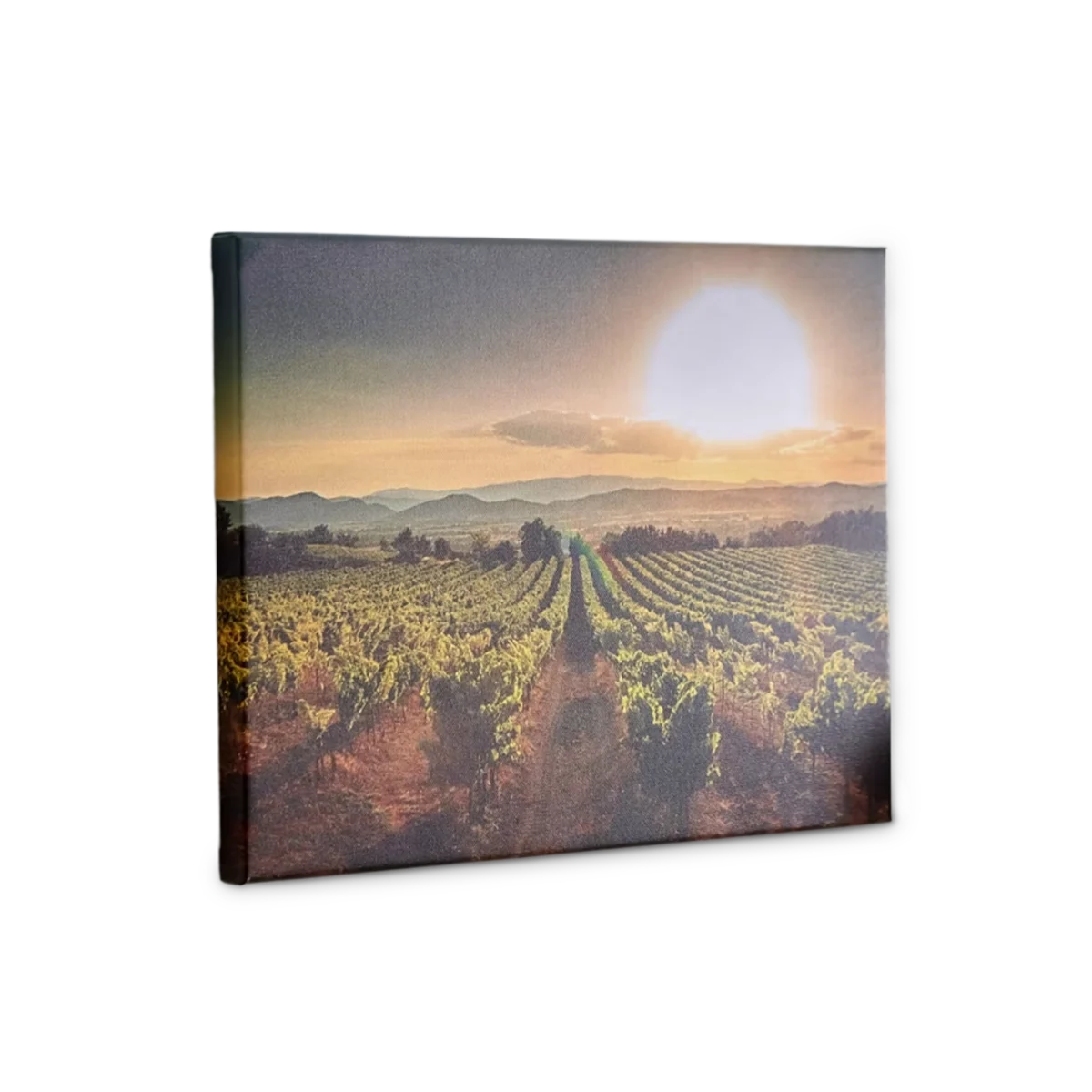
- Good quality for a decent price
- Delivered with hanging set
- Creates a warm and natural look
- Lightweight material - ideal for most wall types
- Lower quality images cause imperfections
- Not the finest details due to the material. <br>Pick photo on aluminium for the best details.
Print run
Excl. VAT Incl. VAT
€35.49 Excl. VAT
Free shipping on orders over €60.00
How would you like to add your design?
File submission guidelines
Drop your file here or click to browse
PDF, AI, EPS, PSD, TIFF, PNG, JPG — up to 500MB · multiple files supported
/
Generating preview...
Applying adjustments...
Upload complete
·
We'll check your file before printing
Want extra assurance? Add a Premium or Deluxe artwork check at cart.
Choose your size and quantity first — your Canva design is built to match.
Log in to keep your design in your account and use it on any device.
Your product configuration changed — re-edit your design so it matches.
Opening Canva…
The design editor is loading.
About Canvas Photo Print
Turn your magical moments into works of art with our canvas photo print! It gives an eye-catching 3D effect and the matte finish creates a timeless look.
Note: Discover our canvas with frame for the perfect finishing touch.
Note: Discover our canvas with frame for the perfect finishing touch.
Specifications
| Property | Value |
|---|---|
| Material | Canvas: 260 gr. (100% cotton) |
| Secondary material | Wooden frame |
| Size | From 30 x 30 cm to 150 x 100 cm |
| Print technique | Latex |
| Single-sided | Full colour | |
| Format | Portrait | Landscape | Square |
| Weight | 300 gsm |
| Frame material | Wood |
| Frame thickness | 2 cm |
| Base colour | White |
| Indoor or outdoor | Keep indoor - Not waterproof |
| Suspension set | Sawtooth hanger included |
FAQs
What are canvas prints? And what can I use them for?
Photos on canvas are one of our most sold products and are very popular wall decorations. Canvas is a cloth with a print of your own choice. The fabric is stretched on a wooden frame, and it can be mounted on the wall using the supplied hanging set.
Print your photo on canvas, and the back of the piece will be supported by a wooden frame. You can select from a range of sizes and print your photo in portrait, square, or landscape orientation.
What type of material is the canvas made of?
The canvas is made of 300 gsm cloth, 65% cotton and 35% polyester.
Will my Canvas Photo Print be delivered with a hanging set?
Yes, your Canvas Photo Print is delivered with a hanging set. The sets are very simple to use and include a hooked edge to make sure you can hang your canvas straight.
Can I buy a canvas with a frame?
Yes, you can! We offer a canvas with a black frame, you can find it on this page.
How do I clean my canvas print?
Cleaning your canvas photo requires gentle care to avoid damaging the surface. Harsh movements, excessive pressure, or abrasive cleaning tools should be avoided. To remove dust, use a soft, damp cloth or a feather duster. While caution is needed, regular cleaning is necessary to prevent dust accumulation, which can dull the vibrant colours of your canvas.
What kind of photos do you recommend I choose?
Choose photos of moments you want to remember! You’ll be looking at these often, so try to choose those that will spark the best memories. Opt for high-quality photos for the best results, and if you have any doubts, our Customer Service team is always ready to assist you. If the photo you selected is of low quality, we will notify you and work with you to find an appropriate solution.
What type of files can I upload?
You can upload PDF, PNG and JPG files.
Do I need to add anything to my photos to make them print-ready?
No need to add anything besides your beautiful photo(s)! We understand that cutting deviation is possible and to prevent this, our editor automatically adds a white line around your photo. This is referred to as bleed in the printing world. Rest assured that we take care of this for you, so you can sit back and relax.
Will the colours on my Canvas Photo Print look just like the colours on my screen?
Digital photos and printed photos will look different due to the processing of colours in a different colour mode. RGB is the colour mode used in phone or camera photos, but it is not ideal for printing as it can appear overly dark. Therefore, we convert your RGB files to the recommended CMYK colour mode, which is also used by printers to achieve accurate colour tones by mixing colours. While this produces a more precise outcome, the shades may differ by up to 10% compared to the proof or a previous order.
Can I make a collage with multiple photos in the editor?
Absolutely! We offer multiple layout options for your collage to choose from.
Can I add text to my photos?
Yes, you can! You can add text to your design using our editor. Just click on the menu (the three dots), choose 'add text', type in your desired text, and select your preferred font. The font you choose will be used for printing the text in your design.
Is it possible to change the picture I initially chose for a different one in the editor?
Yes, you can! If you select a photo, you can easily delete it and add a new one. If you added photos but want to start again, simply go to the overview of projects, select one and click delete.
Which production techniques are used for Canvas Photo Print?
Latex printing is used to produce your Canvas Photo Print. This involves printing the canvas with latex ink using a large printer. Latex ink is a sustainable option that provides scratch protection to the canvas.
What is the fastest possible turnaround?
The standard turnaround is 5 working days. In the cart you can choose a faster turnaround at an additional cost.
Which carriers are used for delivery?
For the delivery of your Canvas Photo Print we use multiple carriers. We use our most reliable carriers, which in most cases are UPS or DPD. Other carriers we use are DHL and even our own courier service. These carriers are used for certain products (depending on the size, the turnaround and the quantity).
I can't find the specifications I'm looking for. Are custom products possible?
If your material type, weight, quantity, size or other specification is not listed, you can request a quotation. We will send you an offer within 1 working day. Depending on the complexity, this may take a bit longer.
Design templates
| Size | Download |
|---|---|
| Guide | |
| 20 x 30 cm (2 cm frame) | PDF Indesign |
| 30 x 30 cm (2 cm frame) | PDF Indesign |
| 30 x 40 cm (2 cm frame) | PDF Indesign |
| 40 x 40 cm (2 cm frame) | PDF Indesign |
| 50 x 50 cm (2 cm frame) | PDF Indesign |
| 40 x 60 cm (2 cm frame) | PDF Indesign |
| 60 x 60 cm (2 cm frame) | PDF Indesign |
| 50 x 70 cm (2 cm frame) | PDF Indesign |
| 60 x 80 cm (2 cm frame) | PDF Indesign |
| 80 x 80 cm (2 cm frame) | PDF Indesign |
| 60 x 90 cm (2 cm frame) | PDF Indesign |
| 70 x 100 cm (2 cm frame) | PDF Indesign |
| 100 x 100 cm (2 cm frame) | PDF Indesign |
| 30 x 40 cm (2 cm frame) | PDF Indesign |
| 40 x 60 cm (2 cm frame) | PDF Indesign |
| 50 x 40 cm (2 cm frame) | PDF Indesign |
| 50 x 70 cm (2 cm frame) | PDF Indesign |
| 60 x 30 cm (2 cm frame) | PDF Indesign |
| 60 x 80 cm (2 cm frame) | PDF Indesign |
| 60 x 90 cm (2 cm frame) | PDF Indesign |
| 75 x 100 cm | PDF Indesign |
Logos
Brand Colours
Brand Fonts